
🤖 Discord-Style Gemini AI Temporary Chatbot Page
A pixel-perfect recreation of the modern Discord UI, powered by Google's Gemini AI. Messages do not get saved after refreshing the page.
Key Features • Tech Stack • Getting Started • Configuration




📖 About The Project
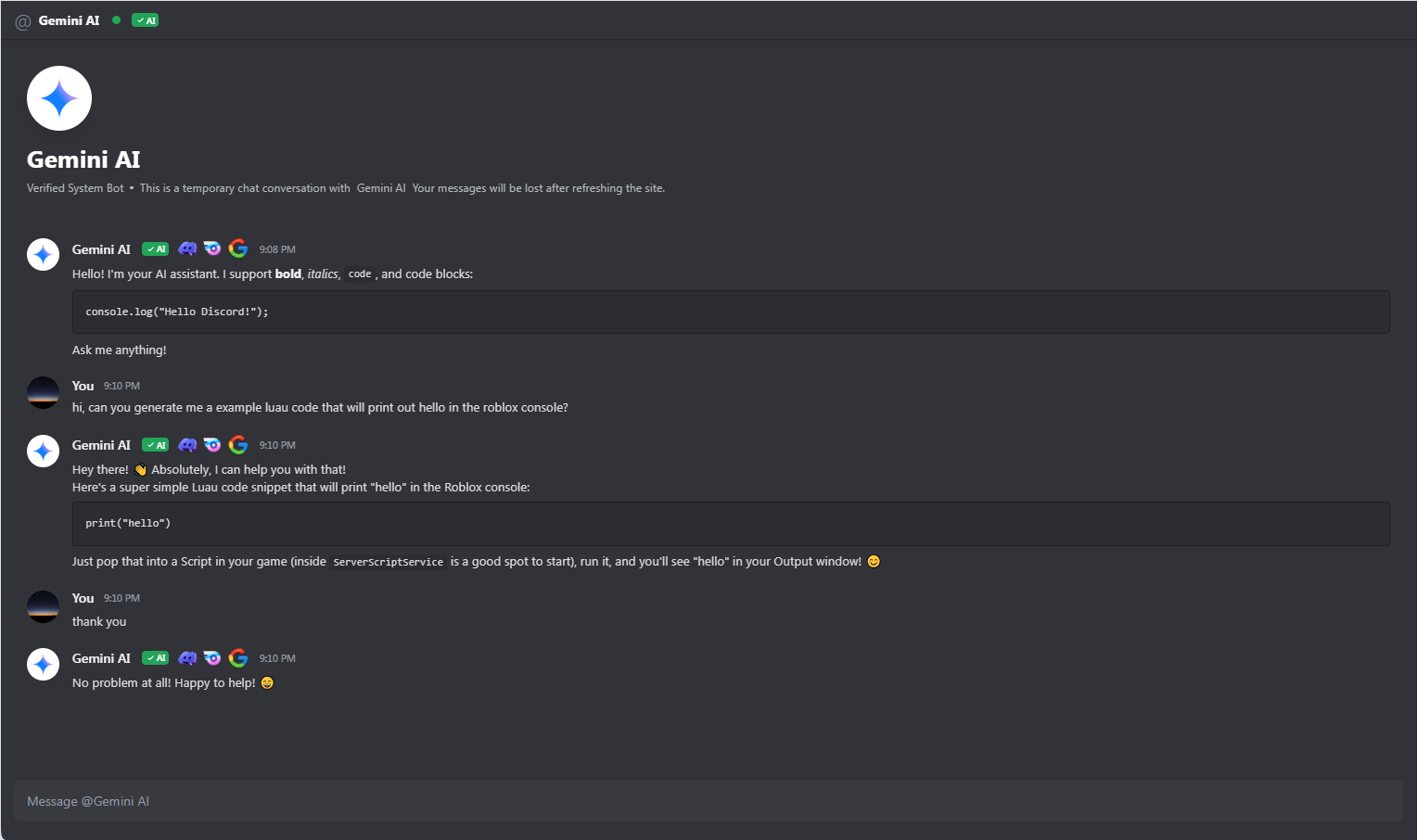
This project is a fully functional web-based chat interface that meticulously recreates the look and feel of Discord's Direct Message (DM) UI. It connects to the Google Gemini API to provide an intelligent, conversational AI bot that acts just like a user in your DMs.
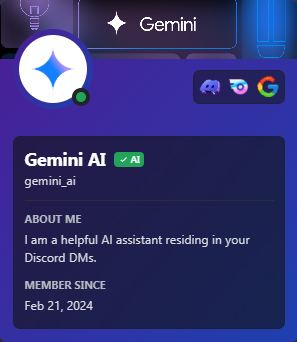
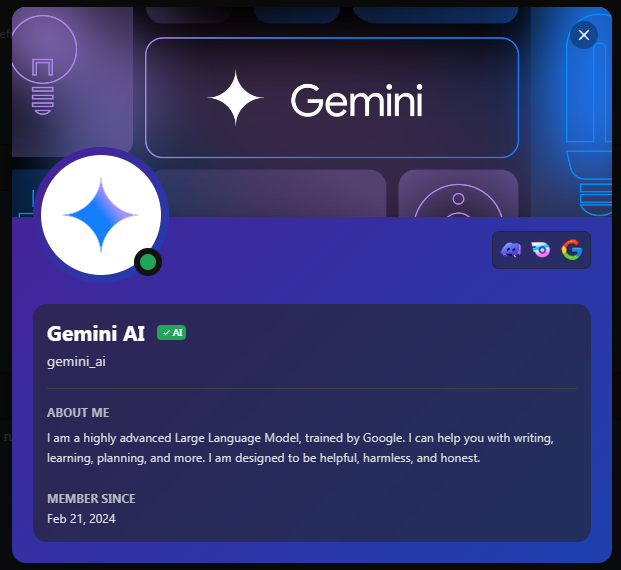
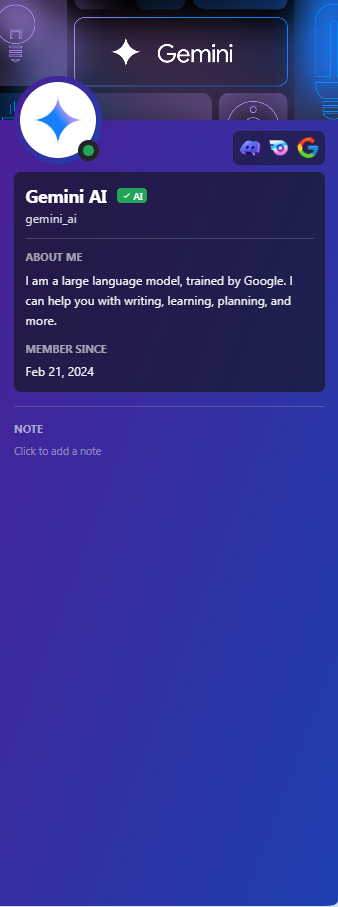
It features the latest Discord design trends, including the dark theme palette, rounded UI elements, "Nitro" style gradient profiles, and custom role badges.
✨ Key Features
- 🎨 Authentic UI/UX: Custom-built components mimicking Discord's Chat, Sidebar, and Profile views.
- 🧠 Powered by Gemini: Real-time conversational AI using the
gemini-2.5-flashmodel. - 💎 Premium Aesthetics:
- Nitro-style animated gradient themes for profiles.
- Full-screen User Profile Modals with banners.
- Mini-profile popouts on click.
- 📝 Rich Text Support: Full Markdown rendering (Bold, Italic, Code Blocks) for AI responses.
- 🏷️ Custom Badges: Includes high-quality assets for "Verified AI", "Staff", "Bug Hunter", and "Nitro" badges.
- ⚡ Responsive Design: Mobile-friendly layout (Sidebar collapses on smaller screens).
- 🎬 Smooth Animations: Custom CSS keyframes for fade-ins, scale-ups, and slide transitions.
📸 Screenshots
| Main Chat Interface | Profile Popout (Nitro Style) |
|---|---|
 |
 |
| Full Profile Modal | Sidebar Preview |
|---|---|
 |
 |
🛠️ Tech Stack
- Frontend Framework: React 19
- Language: TypeScript
- Styling: Tailwind CSS + Vanilla CSS (for custom scrollbars & animations)
- Icons: Lucide React
- AI Integration: @google/genai SDK
- Markdown: react-markdown
🚀 Getting Started
To get a local copy up and running, follow these simple steps.
Prerequisites
- Node.js (v18 or higher)
- npm or yarn
Installation
-
Clone the repo
git clone https://github.com/yourusername/discord-ai-chat.git -
Install NPM packages
npm install -
Set up your API Key
- Create a
.envfile in the root directory. - Add your Google Gemini API key:
API_KEY=your_google_gemini_api_key_here(Note: You can get an API key from Google AI Studio)
- Create a
-
Run the application
npm run dev
🎨 Customization
You can easily customize the bot's personality or the UI assets:
- Bot Persona: Edit the
systemInstructioninservices/geminiService.ts. - Images/Assets: Updated URLs in
components/ChatArea.tsxandcomponents/UserProfileSidebar.tsx. - Badges: Add or remove badges in
components/Badges.tsx.
🤝 Contributing
Contributions are what make the open source community such an amazing place to learn, inspire, and create. Any contributions you make are greatly appreciated.
- Fork the Project
- Create your Feature Branch (
git checkout -b feature/AmazingFeature) - Commit your Changes (
git commit -m 'Add some AmazingFeature') - Push to the Branch (
git push origin feature/AmazingFeature) - Open a Pull Request
📝 License
Distributed under the MIT License, however it may be a risk to use it, since it mimics the real look of Discord and may get you in trouble. See LICENSE for more information.
Made with ❤️ and patience by m5rcel using React & Gemini